Design system, fonts and colours
Give the AI concrete brand resources directly from your template.

Let the colour connect each number with its meaning
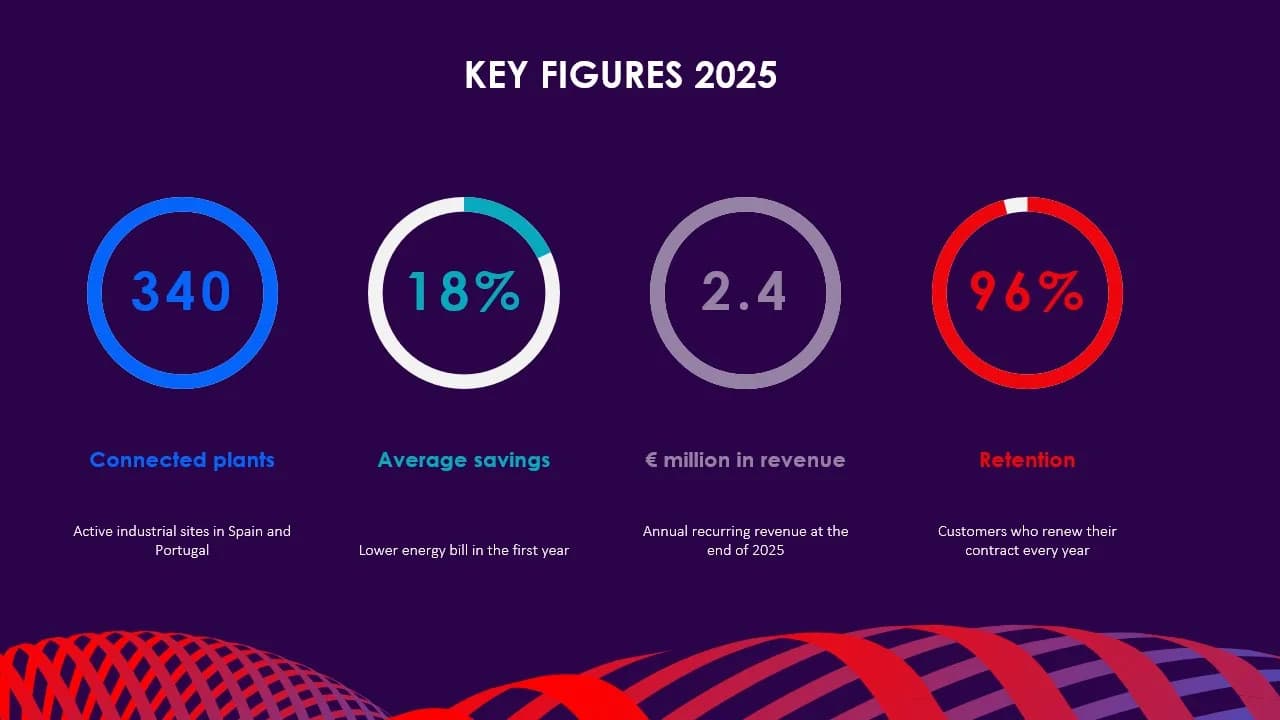
On Ondaria’s figures slide, each ring uses the same colour as the label beneath it. The blue 340 belongs to connected plants, while the turquoise 18% belongs to average savings. The repeated position of the labels also helps readers compare the figures.
When you reuse this layout, replace the number, unit and label together. Check the slide at presentation size and make sure the longest label still sits under the right ring.
Understand the available compositions
Paul examines the slides, layouts and element groups in the template. This analysis helps the AI choose a composition that fits the content: a title, a summary, key figures or a detailed page. It works from the material actually present in your file.
Keep colours, typography and graphic elements
Colours and font information form part of the template data, alongside shapes, images and reusable elements. Embedded font files can be retained when they are available and usable. Their presence, compatibility and usage rights still need checking.
Resources retained with your template
The template keeps its presentation data and available resources: colours, typography information, images and graphic elements. Paul reuses them when you choose this template for new work. This covers template resources rather than a separate library of every brand asset.
Reuse components from the template
Groups of elements can serve as components, such as callouts, key figure blocks or combinations of text and images. Paul can reuse these groups to retain their visual construction while adapting them to the presentation content.
Keep control over brand fidelity
The analysis provides a composition framework and still needs brand review. Inspect the slides, adjust exceptions in the editor and check the exported file. The scope described here is the imported template and its available resources.